

Create an account
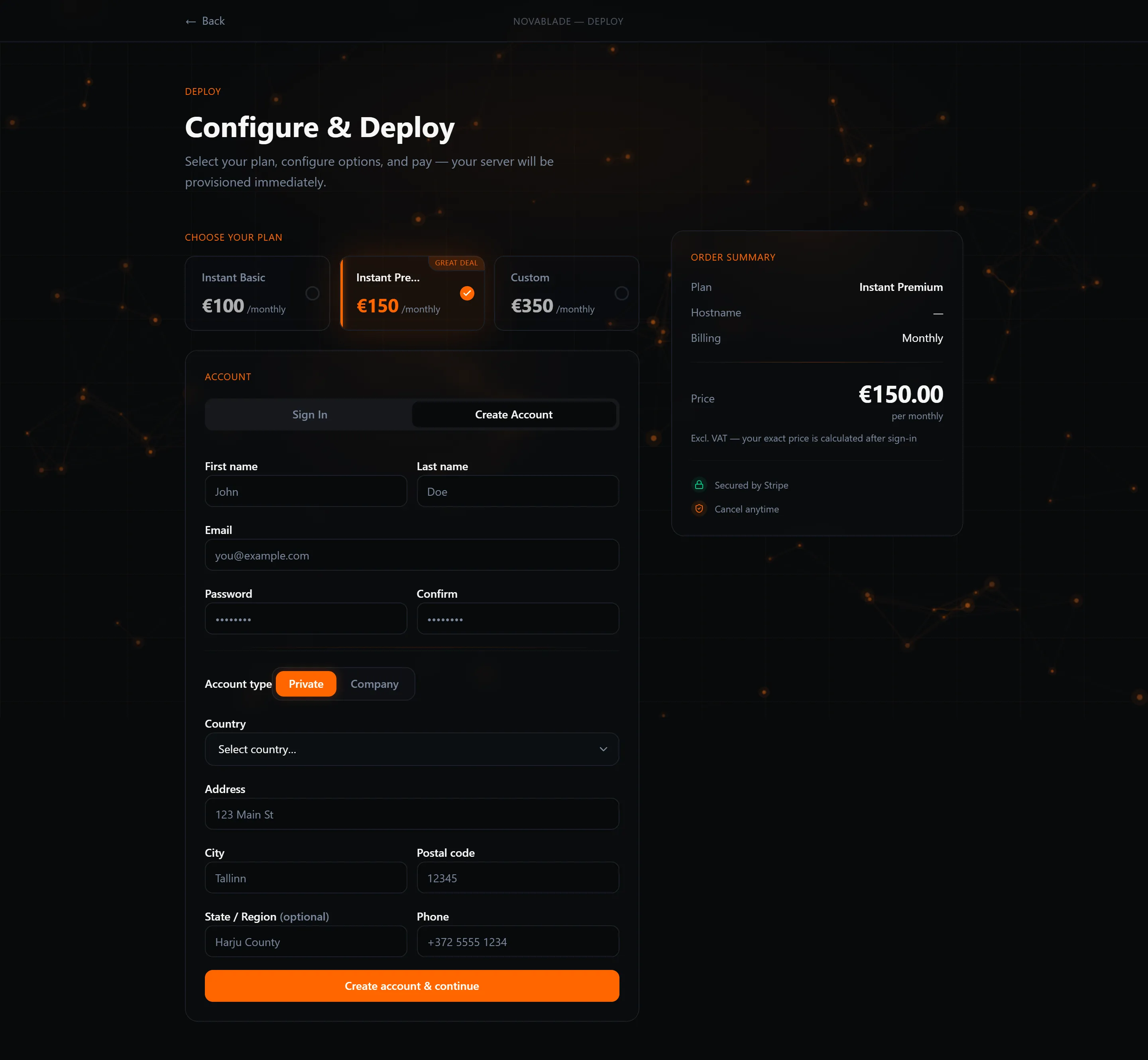
Your Wavecom account is created as part of placing your first order — there is no separate sign-up flow. When you open an order page, choose the Create Account tab to register and order at the same time.
Required fields
Section titled “Required fields”Fill in all of the following to create your account:
- Email address — used to log in and receive important notices.
- Password — at least 8 characters.
- First name and Last name
- Country
- Address, City, State / Region, and Postcode
- Phone number
Optional:
- Company name — if you are ordering on behalf of a business.
- VAT number — required to claim the EU business exemption (see below).
Verify your email
Section titled “Verify your email”After you submit the form, we email a 6-digit verification code to the address you provided. Enter the code to complete registration. Codes expire after a few minutes — if yours has expired, request a new one.
Next steps
Section titled “Next steps”Once your account is verified and your order is placed, proceed to Pay to complete the purchase. After payment the server begins provisioning automatically.